You should automate SOPs when doing so reduces manual effort, shortens cycle time, and preserves compliance — without removing necessary human judgment. In this guide you’ll learn how to automate SOPs safely and reliably using visual workflow engines, decision trees, and contained automation agents.
If you already document processes in a playbook, you’re one step ahead. Automating SOPs is the logical next step after you’ve captured repeatable work in a structured place like a company playbook Operational Playbooks: Orchestrating Cross‑Functional Workflows.
Why automating SOPs matters for operations managers
Most operations teams spend time on three avoidable wastes: repetitive manual steps, inconsistent execution, and slow handoffs. Automating SOPs targets all three, giving you faster cycles, fewer errors, and a consistent audit trail for compliance.
Automation isn’t about removing people. It’s about elevating them. When routine steps are automated, your team focuses on exceptions, judgement calls, and continuous improvement.
Choosing what to automate
Not every step belongs in automation. Use these rules to prioritize:
Automate tasks that are high-volume and low-variance (e.g., provisioning accounts, generating reports).
Automate deterministic steps with clear inputs and outputs (data transformation, API calls).
Avoid full automation for tasks that require subjective judgement or legal review — keep them human or add explicit approval nodes.
Automate intermediate steps that unlock larger efficiency gains (e.g., auto-fill forms so a human only reviews the result).
If you need help deciding, turn your SOP into a decision tree first. Decision trees make branching logic explicit and show where approvals are required.
Architecture pattern: visual workflows, agents, and audit
A reliable automation stack for SOPs has three layers: an authorable visual workflow, contained automation agents, and audit & controls.
Visual workflow engine (the Systems layer)
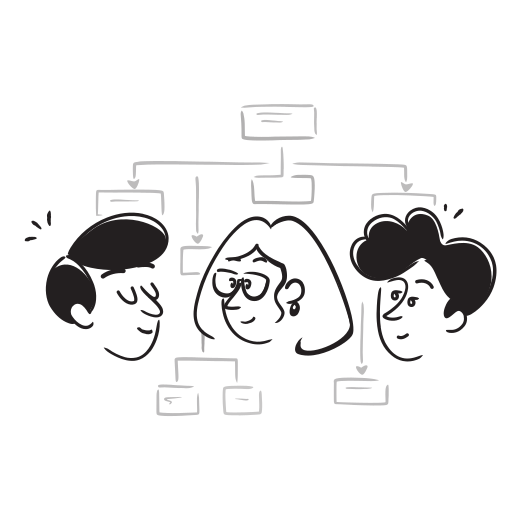
Model your SOP as a directed graph with nodes for tasks, decision points, parallel threads, and loops. Visual graphs make branching and failure paths explicit. When you execute a graph you run a single source of truth that both humans and machines follow.
La fonctionnalité Systems d'OKiDO fournit un graphe visuel exécutable où chaque nœud peut être soit une étape manuelle, soit un nœud de décision, soit un nœud d'automatisation. Utilisez la même page de processus où vous documentez votre SOP afin que le processus et le runtime restent synchronisés.
Automation agents (safe, sandboxed execution)
Automation steps should run in isolated environments with tight credential controls. Use containerized sandboxes (Node.js, Python, Bash) for code automation and an AI coding agent only where it accelerates development.
Key capabilities to require:
Encrypted credential storage with least-privilege access
Executions in short-lived Docker sandboxes
Explicit input/output schema and error handling
Preview of results before committing changes
OKiDO gives you an AI Agents layer that generates and runs automation code inside Docker sandboxes, with encrypted credential management and an audit trail for every run.
Decisions and approvals
Not all branches should auto-execute. Decision nodes let you route work based on answers, data, or system checks. Approval steps pause the workflow and notify the right people. Keep approvals short and granular — one approval per material decision.
Decision Trees are useful authoring primitives: they convert tribal knowledge into deterministic paths that feed into your Systems graphs.
Audit, observability, and rollback
Every automated run must produce structured logs showing who/what invoked it, inputs, outputs, and attachments. That enables post-mortem, compliance, and quick rollback if a step misbehaves.
Include these operational controls:
Immutable audit trail for each run step
Versioned process templates with diff-capable deploys
Runtime monitoring and alerting on failures
Manual revert or compensating actions embedded in the graph
OKiDO captures a full audit trail and shows run activity in the Runs view and Dashboard, so you can answer "who did what" instantly.
Step-by-step: automate an SOP today
Follow this step-by-step checklist to move from a documented SOP to a safe, autonomous run.
Map the SOP verbatim in a visual editor. Treat the first pass as a faithful transcription.
Identify decision points and mark them as Decision Tree nodes; capture the exact questions and allowed responses.
Segment steps into Human and Automatable buckets. Automatable = deterministic inputs, limited side effects.
For each automatable step, define the input schema, expected output, and error conditions. Include retry logic.
Implement automation nodes in sandboxed containers. Start with short scripts and test locally, then run in the platform sandbox.
Add approval nodes for any step that affects customers, invoices, or legal status. Configure approvers and timeouts.
Run end-to-end tests with a staging process; review the audit logs, then enable production runs with a canary group.
These steps match a product workflow where your Playbook content becomes the source of truth, decision trees guide branching, Systems run the graph, and AI Agents or container sandboxes execute code.
Example: automating an onboarding checklist (practical sketch)
Document the full onboarding SOP in your Playbook folder.
Convert "Create user account" and "Provision tools" into automation nodes. Define inputs (name, role, access level).
Add a Decision Tree node: "Is the new hire senior?" — route to additional approvals if yes.
Implement automation with sandboxed scripts that call your identity provider and CRM APIs using stored service credentials.
Add an approval step for IT to verify privileged access. Configure a 24-hour timeout to escalate.
Publish the process and launch a supervised canary run for 5 hires.
Monitor the Runs dashboard and audit trail; roll back or refine nodes as needed.
This pattern reduces manual clicks and gives you a searchable, auditable record of every onboarding activity.
Avoiding common pitfalls and measuring success
Common pitfalls and how to prevent them:
Tight coupling with external systems: avoid brittle scripts. Use API abstractions and idempotent calls.
Secrets sprawl: never hard-code credentials. Use an encrypted credential store with rotation.
Over-automation: don’t auto-resolve exceptions. Prefer alerts that hand off to a human with context.
Weak observability: logs without structure are hard to consume. Emit JSON-structured events and attach artifacts.
No rollback plan: design compensating actions as nodes in the graph (e.g., revoke a token if provisioning fails).
Measure both efficiency and safety with these metrics:
Run success rate (automated runs that complete without manual intervention)
Exception rate (percentage of runs that require human approval or remediation)
Mean time to recover (MTTR) for failed runs
Execution time per run (before vs after automation)
Number of steps automated vs total steps in a process
Combine these quantitative metrics with qualitative feedback from your team. If automation reduces errors but increases friction in edge cases, revisit decision thresholds.
How to get started
Start with one repeatable SOP: map it into a visual Systems graph, add a Decision Tree for branching, and replace a single manual task with a sandboxed automation node. Test the flow in staging, run a canary group, and iterate based on audit logs and team feedback.
If you’re ready to move from paper or wiki checklists to controlled automation, convert one process into a System graph, add one automation node, and run it with a canary group. OKiDO lets you author processes, attach decision trees, run sandboxed automation agents, and keep a full audit trail — all in the same platform. Start with one process today and iterate.