If you manage processes that touch multiple systems and people, you need visual workflow design patterns that make branching, retries, approvals and exceptions simple to reason about and audit. This article explains seven patterns you can use today to model real-world operations — and how to implement them inside OKiDO’s Systems model using nodes, variables, and versioned runs.
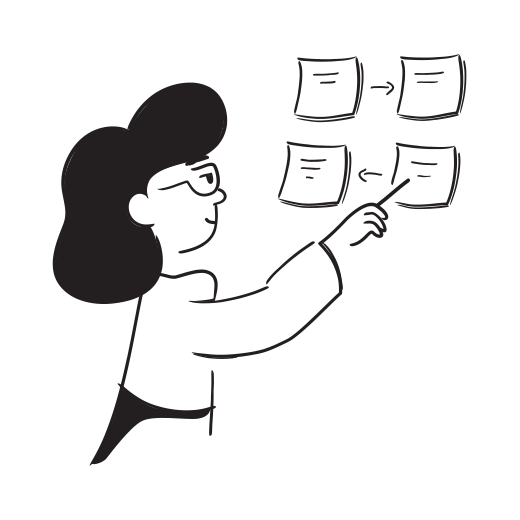
Visual workflows — a graph of nodes and edges representing logical steps — make complex routing explicit, let automation and humans run in the same governed flow, and capture variable state and execution history so you can iterate on the process. Designing with patterns instead of ad-hoc nodes reduces errors, speeds onboarding, and makes automation safer.
Why visual workflows matter for operations
Visual workflows do three things your team needs:
Make complex routing explicit so owners and auditors see how decisions are made.
Let automation and humans run in the same governed flow with clear gates and proof.
Capture variable state and execution history so you can iterate on the process.
When you design with patterns, you reduce tribal knowledge, shorten review cycles, and make processes auditable. The patterns below map directly to OKiDO Systems node types (SOP, DECISION_TREE, SPLIT, LOOP, COMPUTE, APPROVAL, RAISE_EXCEPTION) so you can build quickly and with traceability.
Seven visual workflow patterns
1. Parallel work and join — split–run–collect
When to use: Use this pattern when multiple teams or systems can work in parallel and you need to collect results before continuing — for example, compliance checks, multi-team approvals, or fetching data from several APIs.
How it looks:
START -> SPLIT into parallel SOP or TASK nodes -> each branch completes its work -> JOIN node aggregates results -> downstream COMPUTE or SOP continues.
Implementation tips:
Use SPLIT to create parallel branches and assign ownership per branch. Tag each branch with Smart Labels to identify source or type.
At JOIN, use COMPUTE to validate required outputs and set a variable summarizing branch results.
If a branch is optional, set a timeout and a graceful default path so the JOIN does not block forever.
Parallel branches reduce elapsed time and make dependencies explicit in the audit trail. OKiDO records each branch run so you can prove who did what and when.
2. Retry and backoff loop — idempotent retries for flaky integrations
When to use: Use when external systems fail intermittently (API timeouts, rate limits, flaky portals). Encapsulate retry logic in the workflow instead of relying on manual retries.
How it looks:
START -> COMPUTE (initialize attempt counter) -> LOOP node (call integration SOP) -> CHECK node (success?) -> if false, COMPUTE (increment counter) -> GATE (max attempts?) -> retry or RAISE_EXCEPTION/route to human.
Implementation tips:
Keep operations idempotent: ensure the retried step can safely run multiple times.
Record attempt count in a variable and persist it in the run so you can inspect retries later.
Add exponential backoff by computing a wait interval in COMPUTE and using a scheduled TASK node or wait mechanism.
Automated retries reduce toil and make external failures visible and actionable. Escalations only fire when recoverable attempts are exhausted.
3. Iterate over lists — map–process–aggregate
When to use: Use when you need to perform the same SOP for each item in a dataset: processing invoices, validating customer records, or synchronizing accounts.
How it looks:
START -> DATA_FETCH or DECISION_TREE to produce a list variable -> LOOP (iterate list) -> inside loop: SOP/TASK per item -> commit results to an aggregated variable -> END.
Implementation tips:
Use a VARIABLE_SET node to initialize an accumulator and COMPUTE nodes to append results.
If items can be processed concurrently, spawn parallel sub-runs (SOP) per item and JOIN their outputs.
Record per-item evidence (files, screenshots, log snippets) inside each sub-run so auditing is itemized.
Iteration patterns turn batch work into observable, replayable runs. You can rerun failed items without rerunning the whole batch.
4. Decision-based branching — split on business rules
When to use: Use when business logic requires distinct execution paths based on data or answers — for example, routing refunds above a threshold to finance or escalating high-severity incidents.
How it looks:
START -> DECISION_TREE (or COMPUTE) -> SPLIT into branches based on variables -> branch-specific SOPs/APPROVALS -> JOIN or END.
Implementation tips:
If the decision requires multiple questions or data fetches, embed a Decision Tree so you capture the logic and its audit trail. See Decision Trees for Operations: Design, Deploy, Measure.
Keep decision logic explicit and test it with sample inputs before publishing the system.
Set clear ownership per branch and add approval gates for high-risk paths.
Explicit decision branching prevents tribal knowledge from hiding in Slack or spreadsheets. The decision tree output becomes part of the run’s proof.
5. Human-in-the-loop gate — approvals, timeboxes and handoffs
When to use: Use when tasks require explicit sign-off, judgment, or client confirmation. This pattern prevents downstream automation until a human validates the work.
How it looks:
START -> SOP/TASK -> APPROVAL gate -> if approved, continue -> if rejected, route back for rework or RAISE_EXCEPTION.
Implementation tips:
Use APPROVAL nodes with due-date offsets and escalation rules so approvals don’t stall entire runs.
Capture approver comments as structured evidence. Attach files or screenshots where needed.
For recurring approvals, consider routing to a role or team rather than an individual.
Approvals make governance explicit while preserving automation on the happy path. OKiDO records who approved what and when for compliance.
6. Exception handling and escalation — fail fast, escalate cleanly
When to use: Use when processes can encounter unrecoverable errors or need an audit trail for exceptions — for instance, mismatched payments or failed legal checks.
How it looks:
START -> SOP/TASK -> CHECK -> if anomaly, RAISE_EXCEPTION -> create an incident run, notify a team, and attach context -> optionally fork into an investigation SOP.
Implementation tips:
Use RAISE_EXCEPTION nodes to create a structured exception event that captures variables and evidence.
Attach escalation rules (notify, create project task, public run link) and include a decision on remediation ownership.
Design exception SOPs with a fixed checklist so investigations are consistent and auditable.
Structured exceptions convert ad-hoc firefighting into repeatable investigations with proof and ownership.
7. Modular sub-processes and versioning — reuse and evolve safely
When to use: Use when complex flows contain repeatable components (e.g., “validate customer”, “collect KYC”, “send notification”) that should be maintained independently.
How it looks:
Systems call reusable SOP nodes or published sub-systems. Each sub-process is versioned and published; upstream systems reference a specific version or the latest.
Implementation tips:
Break large systems into named sub-processes with clear input/output variables.
Publish and version sub-processes so active runs remain pinned to the version they started with.
Use Smart Labels and naming conventions to make sub-processes discoverable.
Modularity reduces duplication, shortens review cycles, and makes it safe to evolve parts of the workflow without breaking in-flight runs.
Practical checklist: apply these patterns today
Map the outcome first. Start with the operational outcome you need to prove, not the UI.
Choose the smallest composable unit (SOP) and model complex routing in Systems.
Use Decision Trees for guided judgment and record the decision outputs. See When to Use Visual Workflows: Systems vs SOPs for guidance.
Define variables explicitly and persist them across nodes. Treat them as the single source of truth for routing.
Add approval gates where risk exists and set escalation rules (notify, create task, mark run at risk).
Build retry logic with LOOP and COMPUTE nodes and ensure idempotency for external operations.
Publish sub-processes and pin long-running runs to a version to prevent drift.
Capture evidence (attachments, screenshots, logs) at every decision and exception point.
How these patterns map to OKiDO capabilities
Systems nodes (SPLIT, JOIN, LOOP, COMPUTE, VARIABLE_SET, RAISE_EXCEPTION) model the patterns above.
SOP templates become the human or automated work units inside nodes, with form fields, assignments, and approvals.
Decision Trees handle multi-question guided logic and produce auditable outputs for routing.
Versioning and run-level audit trails ensure every execution is provable even as processes evolve.
Escalations, inbox delivery, and Smart Labels make ownership and retrieval reliable.
These features let you turn design patterns into repeatable, governed executions rather than one-off diagrams.
Start small and iterate
Pick a single cross-team process that causes frequent delays or rework and apply one or two patterns — parallel branches to remove wait time, or retry loops to handle flaky APIs. Run it for a few cycles, review the execution data, and iterate. If you need to capture stakeholder judgment as structured inputs, embed a Decision Tree and record its outputs for continuous improvement.
Visual workflow design patterns let you scale complex operations without adding risk. If you want a running start, OKiDO’s Systems, Decision Trees, SOP templates, and audit trails are built for these patterns. Contact OKiDO to model a pilot process and publish your first versioned system, then use the execution data to drive your next improvements.