Your operational knowledge, organized
Your team's single source of truth for processes, documents, and SOPs.
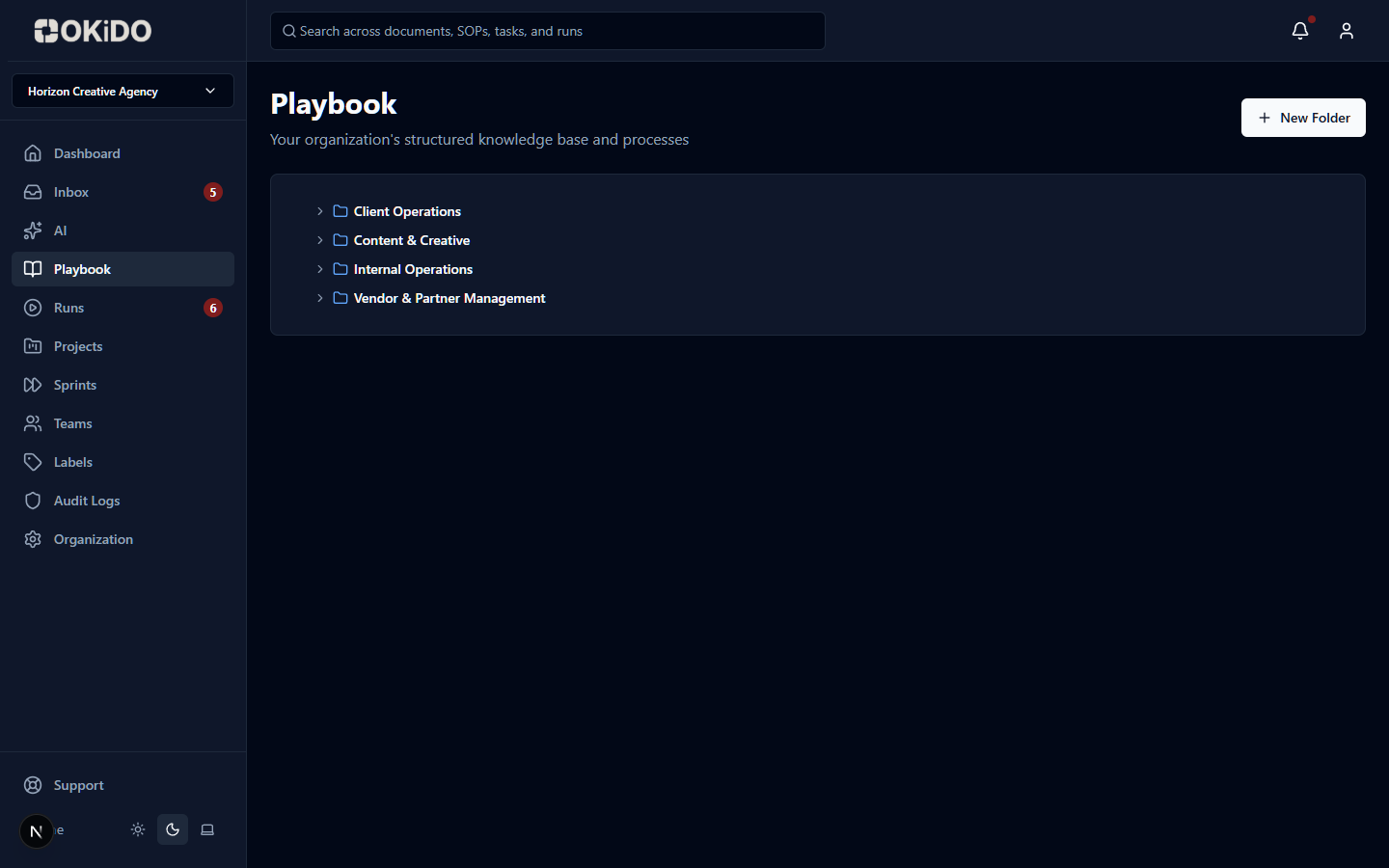
Structured folders
Organize processes by department, client, or workflow type.
Version control
Track every change with full revision history and approval workflows.
Rich documents
Create detailed process documentation with embedded media and checklists.
How Playbook works
Step 1
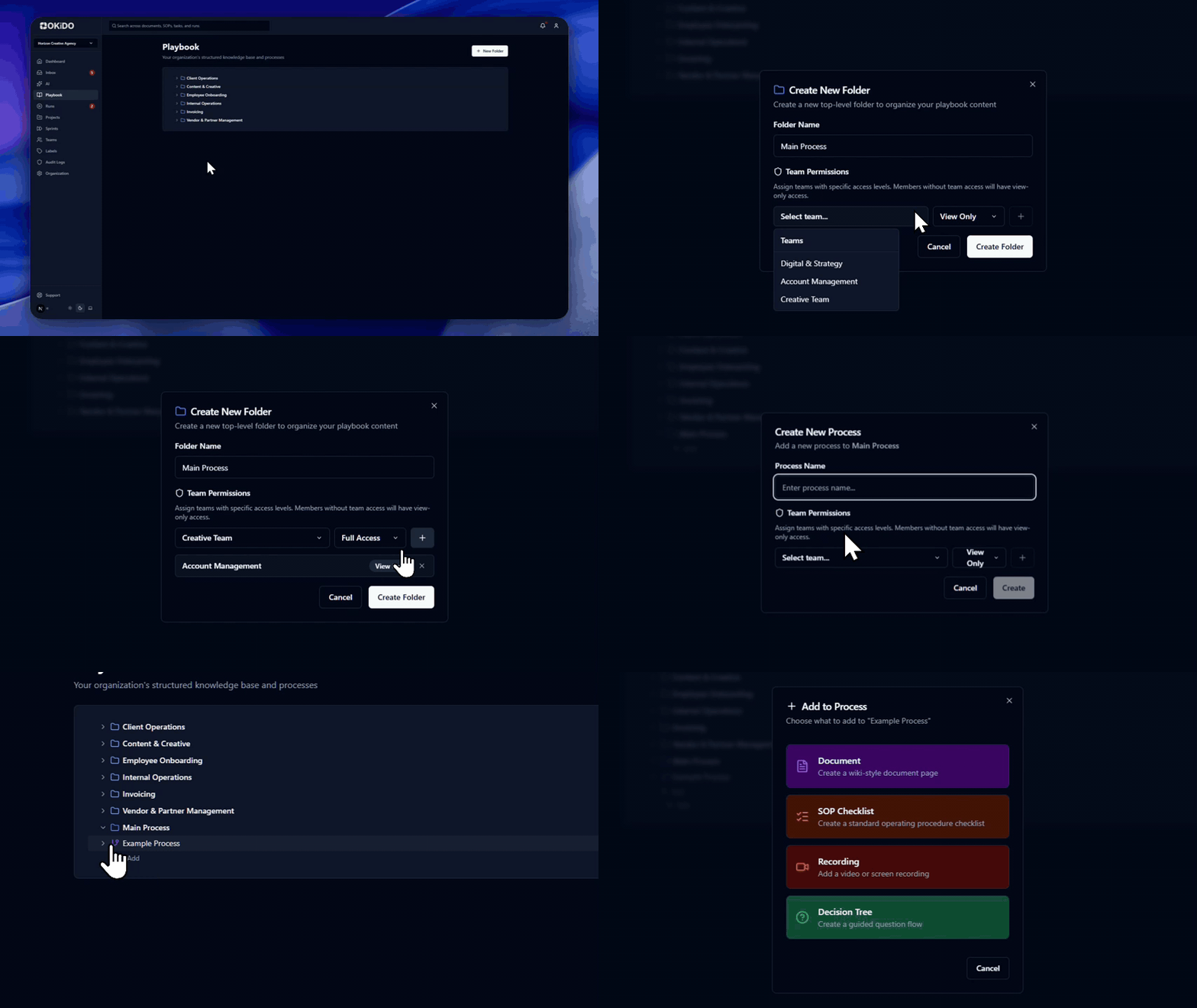
Create your playbook structure with folders and processes
Step 2
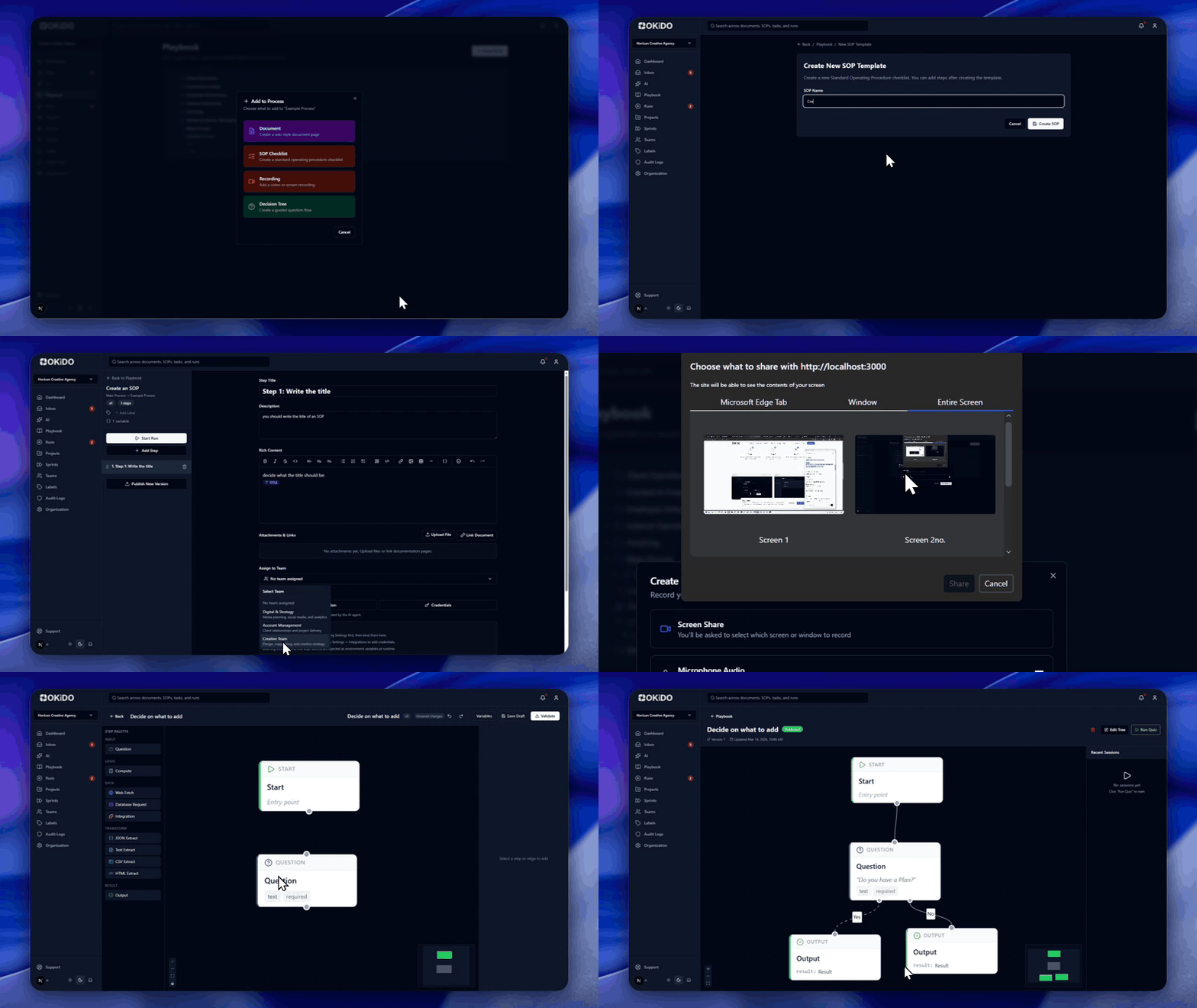
Add SOPs, documents, and recordings to each process
Step 3
Share with your team and set review cycles
Frequently asked questions
The Playbook supports folders (nestable to any depth), processes, rich-text documents with version history, SOP templates, screen recordings with auto-transcription, and visual workflow diagrams (Systems). Each process bundles all resources needed to understand and execute a specific workflow.
Every save creates a new version with author, timestamp, and optional change summary. You can roll back to any previous version at any time. Documents also support review governance — assign a review owner, set a review frequency (e.g. every 90 days), and track status from Draft to Approved.
Yes. Folders can be nested to any depth, so you can mirror your departmental structure, client taxonomy, or any organizational hierarchy. Each folder has a name, description, and customizable display order.
Absolutely. Documents can be linked to tasks, SOPs can be launched as executable runs, recordings can be attached to processes or tasks, and Systems provide visual workflow execution — all from the same Playbook structure.
Connect your operations to AI execution.
OKiDO structures your procedures, connects your systems, and makes human + AI execution visible, enforced, and auditable — across your entire organization.